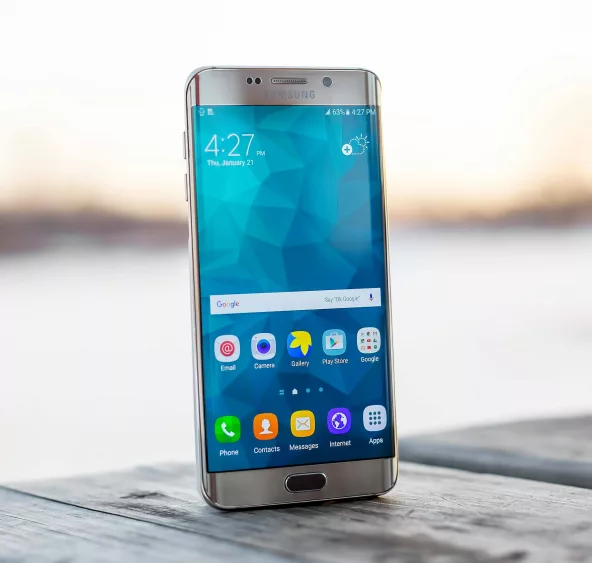
Samsung just issued a huge update for devices that have some users struggling to figure out what happened. I spend time going through my settings after every major update to turn new features off or to change settings back. There are a few things you can do to help with the battery life that is now being drained after this update due to them pushing its Ai assistant. I have screenshots to help guide you, as you follow along.
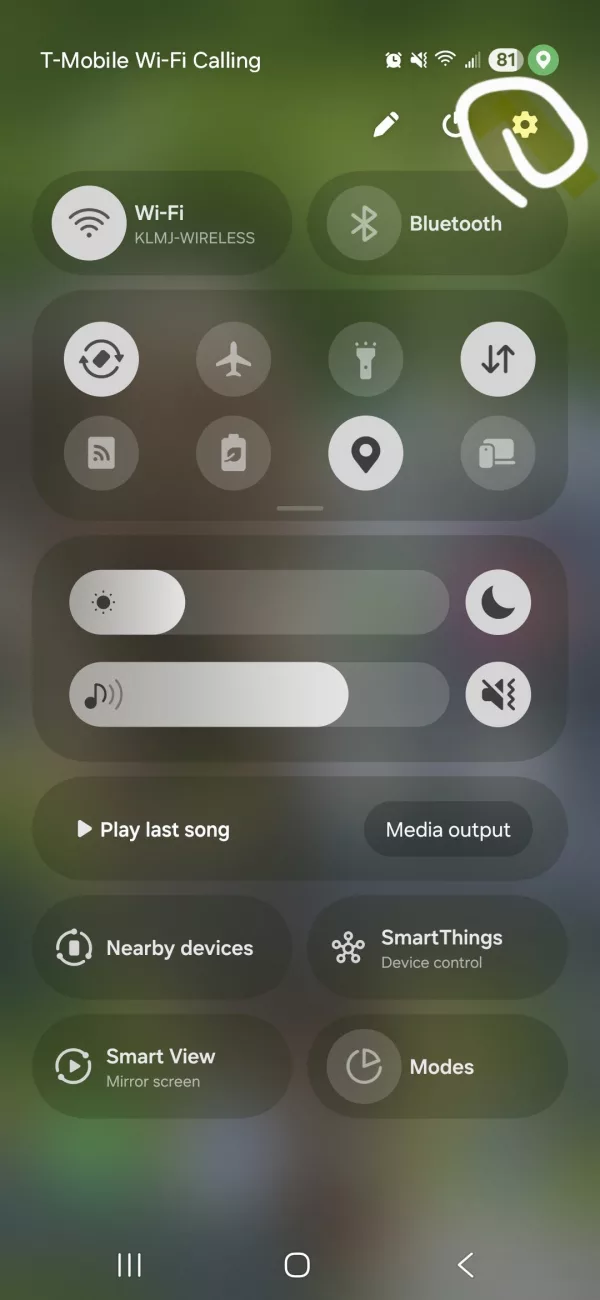
First access your phones settings by swiping down on your home page and clicking the gear symbol in the top right hand corner
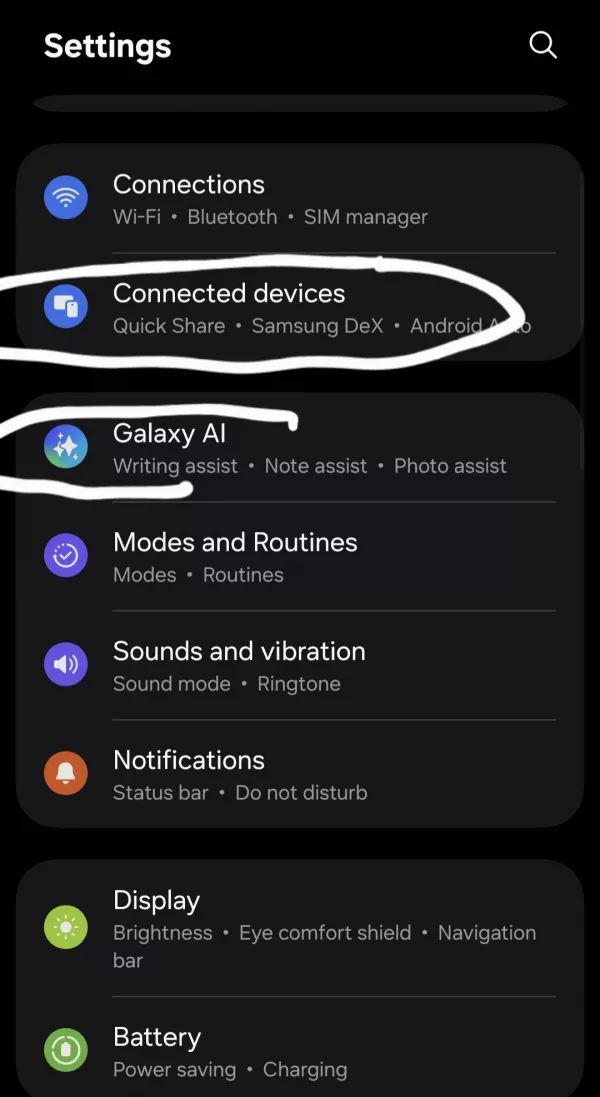
In settings, go to Connected Devices
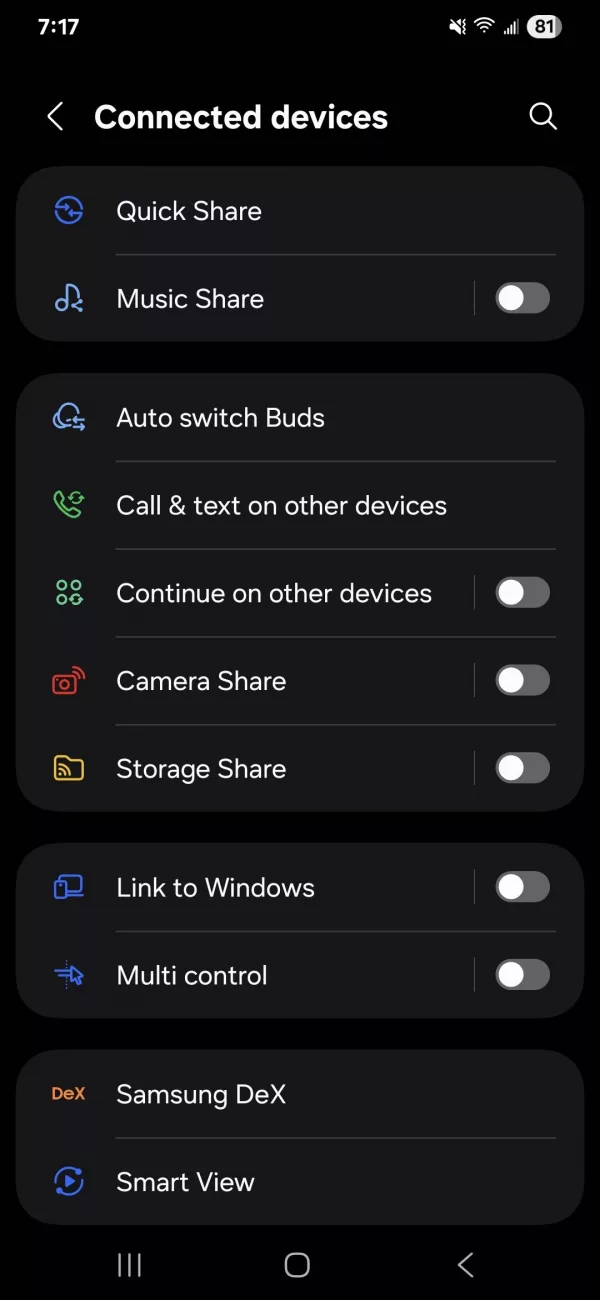
Turn off Connected devices by switching off toggles
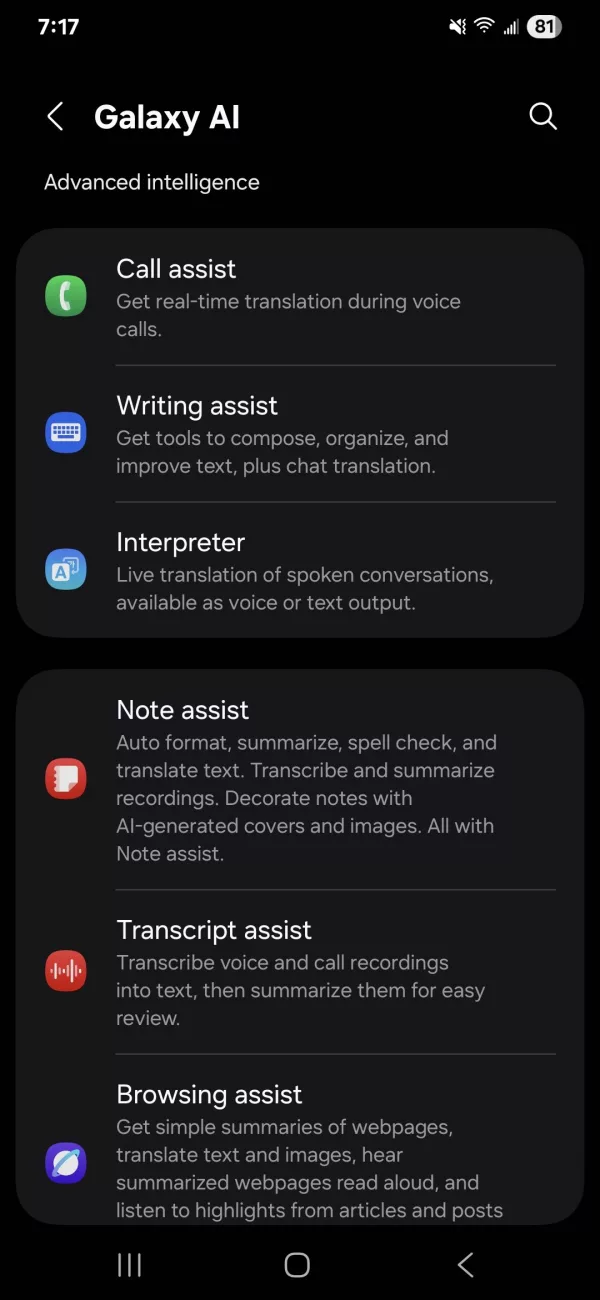
Then go back and select Galaxy Ai, and turn off toggles for the assists that you won’t need to use on a daily basis ( I turned off all except Browsing assist)
Go back to your Settings page, select Accounts and backup. Scroll to the bottom and select Samsung Cloud
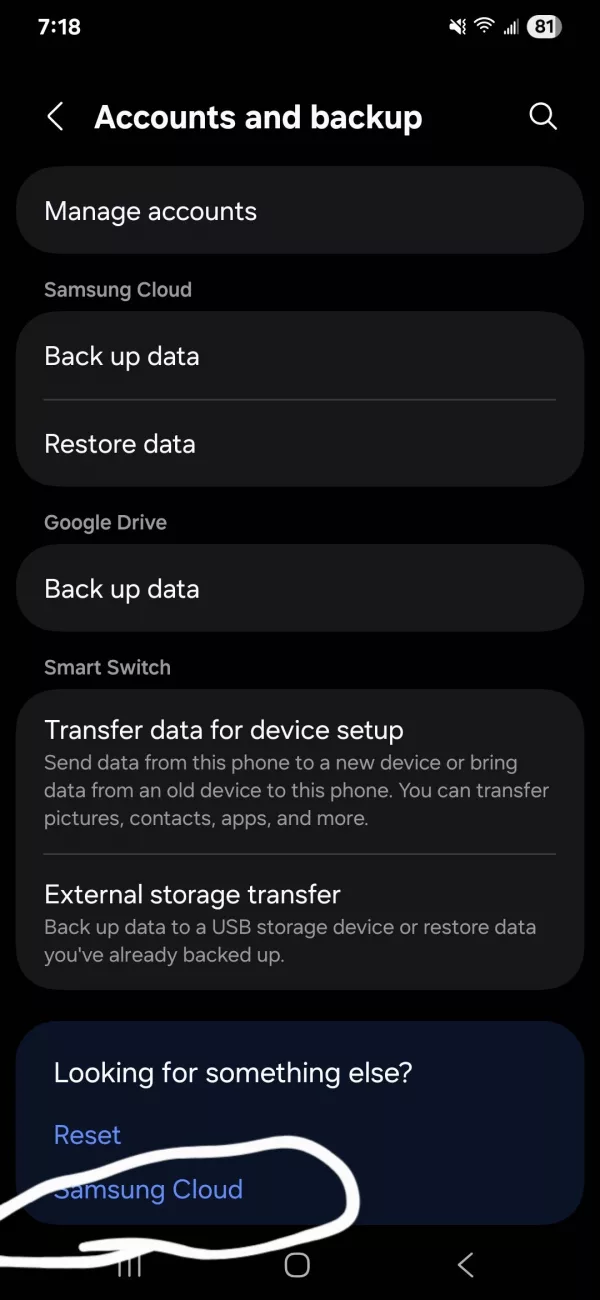
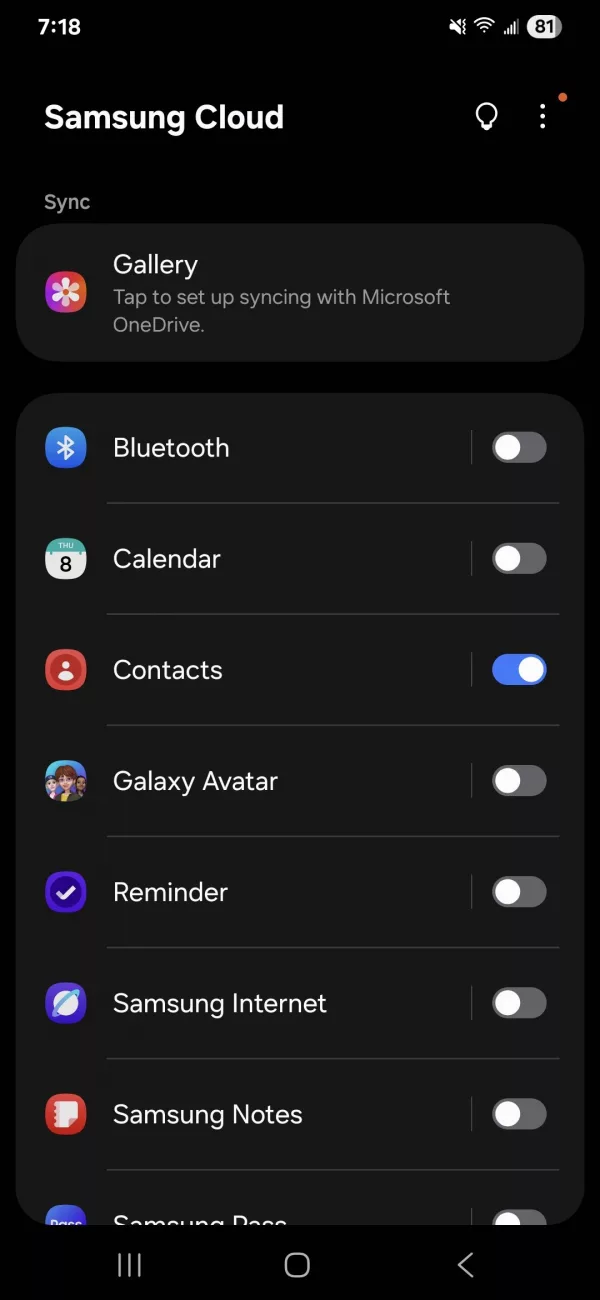
Toggle off all items you don’t want backed up to the Samsung Cloud(this is separate from Google Drive which does the same thing) I turned off all except contacts.
Changing those settings should help with your battery life. There are many videos on Youtube that can inform you more about the new update, help you reset your settings and more. I am not an expert by any means. Just search Samsung may 2025 update for more videos.